
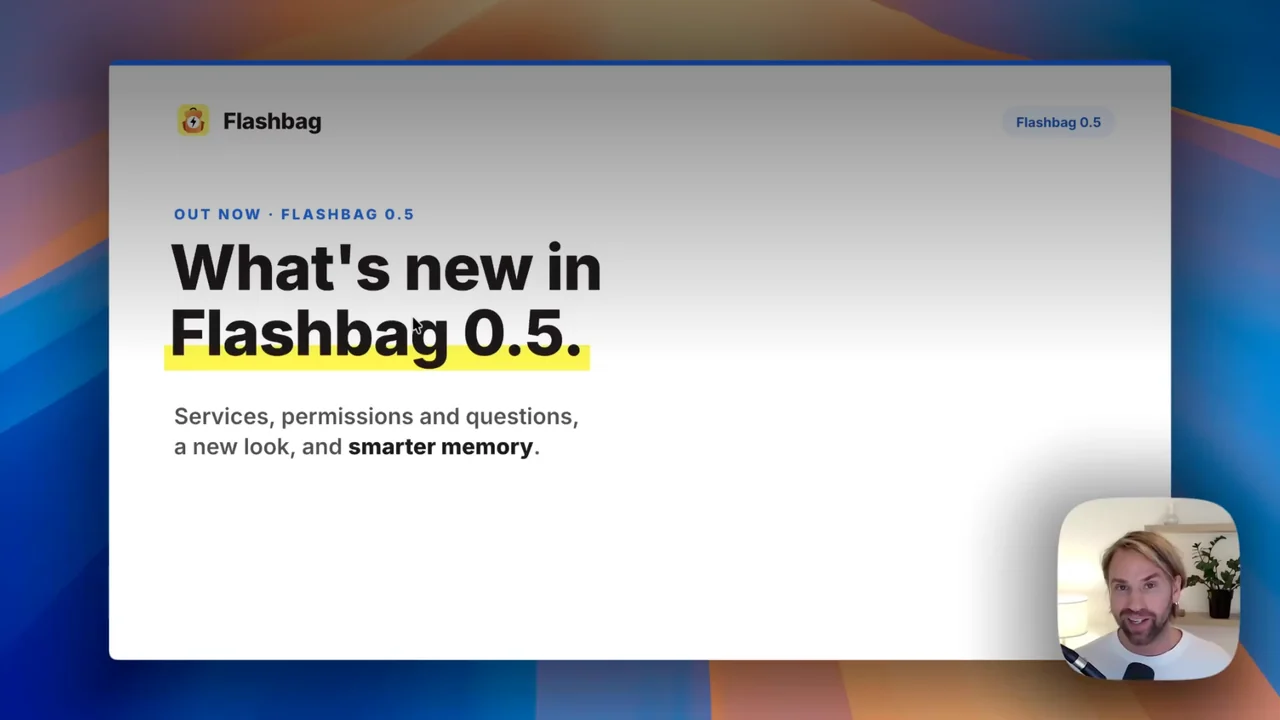
Flashbag 0.5 is a big milestone. Everything is now where it's supposed to be. In the past we'd record a video, and two weeks later a feature had moved somewhere else. We thought this one through, and this is how Flashbag will look and work for the months ahead.
Four big things changed. Services let you watch your agent build. Permissions and questions mean it asks you first instead of guessing. A new look puts one layout on every page. And memory now picks what's worth remembering while the agent works. On top of that, Flashbag is faster and smoother, with a long list of fixes.
Flashbag 0.5.0 came out on October 23. The walkthrough above shows each change in about twelve minutes.
Services. See it while it's being built.
Your agents can now keep a program running after their reply is finished. Ask an agent to build a website, a landing page, a dashboard or a presentation, and it opens a preview you can look at in your browser.
Then you keep talking. Say "make this button green instead of blue", and you see it change right away, without reloading. In the video we ask Dale, our marketing agent, to make one label on the first slide of a presentation orange. A few seconds later it is orange, and the second slide is still blue.
The new Services page lists everything your agents have running. Start, stop or open a Service, check its status and recent output, or remove it without deleting the project files. You can sort them into Service Groups, and Gordon can help you with them in any Profile.
A card in the chat shows each Service's status and controls, even in older conversations. Services also appear under their agent in the Agent list.
You can open a Service on the computer running Flashbag, or privately from your other devices through Tailscale. If you use Flashbag through Launcher, previews need Tailscale. Services stop when Flashbag closes, and you can start them again later.
Permissions and questions. It asks before it guesses.
Until now, Flashbag agents simply did the work without asking. A few weeks ago Claude started saying no to some actions, even in its "skip all permissions" mode. With nobody there to answer, that work quietly didn't happen.
So agents can ask again. When an agent needs permission, it asks in the chat and shows what it wants to do and why. Allow it once, always allow it, or deny it and say what to do instead.
Agents can also ask you questions. You get a few suggested answers, or you write your own. If an agent asks for something private, like a password, your answer reaches the agent but is never saved.
You choose. Claude Code and Codex each have their own modes, from asking before every edit to full access. For Claude these are:
- Auto. Only asks about actions that look risky. This is the one we recommend.
- Accept file edits. Edits files without asking, and asks about the rest.
- Always ask. Asks before every action.
- Bypass. The old way: no questions at all.
Set it for every agent in Settings, for one agent on its own page, or right from the message box.
Tasks run with nobody there to answer, so anything in a Task that needs approval is denied. Open View Activity on a reply to see every decision that was made.
A new look. Learn one page, know them all.
Flashbag has a new, unified design. Buttons, fields, menus and dialogs look and work the same on every page, in both the light and dark theme, with better contrast throughout.
The Agents, Skills, Services and Tasks pages now share one layout. Each has its own Add button and Add group, a search, a filter by agent or group, and a way to select several items at once. If you know how one works, you know how all of them work.
- Agent pages open with the agent's role, memory and live activity, show which AI tool it runs on, and mark settings you changed from your defaults.
- Settings are regrouped into clearer sections with short explanations.
- In the chat, the session's usage and today's estimated cost sit beside the message box, and smaller headers leave more room for the conversation, especially on a phone.
- Agents and Profiles can use any color you like.
Memory. It picks what's worth remembering.
Before 0.5, a helper went through every reply after it was finished and picked out facts. Now the agent itself decides what's worth remembering while it works, and saves it as a Signal.
Why the new name? We noticed that AI models get a bit shaky around the word "fact". They respond better to "signal": something worth noting that might be useful later, not a hard truth.
Your old facts stay where they are. Agents can still use them, marked as possibly out of date, but they no longer load when a conversation starts.
- A firm limit at the start. The Memory at the start setting now caps how much an agent recalls when a conversation begins. Agents with a long history start faster and cost less.
- Tidy up with one click. Files like MEMORY.md and USER.md are part of every message. When one grows too large, the chat tells you, and Optimize asks the agent to tidy it up. You can view and edit these files on the agent's new Identity tab.
- Everyone knows who you are. Gordon writes what he learns about you in a note that every agent in the Profile reads.
Want to know how memory works from start to finish? Read How your agents remember you.
Tasks and Skills, with Gordon's help
Tasks now have Task Groups, just like agents. The redesigned Tasks page shows each Task's runs next to it, and you can filter results across all past runs.
You can add a Task or a Skill by describing it to Gordon. He prepares it, and you approve it. Or you fill it in yourself. Gordon can also import a Skill you already have from a folder or a zip file.
- Editing a Skill shows its instructions and its other files. Drag Skills to reorder them or move them between groups.
- Agents can create Skills for themselves, and update or repair the Skills they use when you ask.
Faster, smoother, and fewer errors
Flashbag loads faster, especially in a browser over Remote access, and chats with a long history open quicker. A few smaller changes make every day easier:
- Send now. A queued message can go out right away. The current reply stops, but what it wrote so far is kept.
- Reorder agents anywhere. Drag them on any page that lists them, including the chat, instead of going to the Agents page first.
- Your AI tools on the Dashboard. Claude Code, Codex and Pi are now called AI tools. A Dashboard card shows each one's version, updates and sign-in.
- Claude Haiku 5.5 is available, and Flashbag now uses it by default for its background memory work with Claude.
- A clearer first launch. Turn on the AI tools you want, and sign in right where you start chatting with Gordon.
Under the hood, we fixed a lot: messages no longer seem to fail during long replies, a Task that's running when you quit Flashbag continues when you reopen it, and Claude Code and Codex no longer load an agent's instructions twice, so conversations start with fewer tokens.
For every change in 0.5.0, see the full changelog. Found a bug? Email us at hello@flashbag.io.

Flashbag 0.5 is available now.
Update Flashbag, ask one of your agents to build a page, and open it from Services. There's a lot more coming in the next few weeks.