 Flashbag
Sign in with Codex
Connect your ChatGPT account to use OpenAI models in Flashbag.
 Mitchel
3 min read · 5:16 watch
Mitchel
3 min read · 5:16 watch
Before you start
You’ll need Flashbag installed and a ChatGPT account with access to Codex. Codex is the tool that connects OpenAI’s models to your agents in Flashbag.
1. Enable Codex in Flashbag
Enable Codex during setup
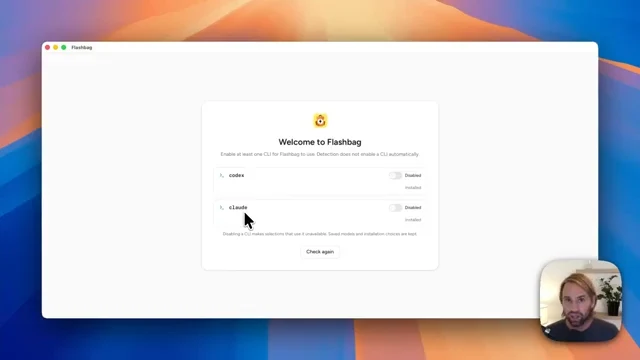
On the Welcome to Flashbag screen, enable Codex. If it isn’t installed, choose Install. If Flashbag already detects it, you can continue.
Activate Flashbag by email
Choose Continue, enter your Flashbag email address, and open the confirmation email. Choose Activate Flashbag and return to the app.
Already set up?
Go to Settings → Agents → Codex to enable Codex or reconnect an existing account. Flashbag’s activation email is separate from your ChatGPT sign-in.
2. Connect your ChatGPT account
Get your sign-in code
On the Dashboard, find Codex under CLI dependencies and choose Sign in. Flashbag will show a one-time code.
Open the sign-in link
Copy the code, then choose Open ChatGPT to sign in. Sign in or select the ChatGPT account you want to connect.
Enter the code
Paste the code from Flashbag into the page opened by that link and choose Continue. Complete any remaining prompts until OpenAI confirms you are signed in to Codex.
3. Check that you’re connected
The same steps work remotely
You can complete Codex sign-in from Flashbag’s Remote access browser view. Open Settings → Agents → Codex → Reconnect, copy the code, and open the sign-in link in your browser.
Choose your ChatGPT account, enter the code, and return to Flashbag. Unlike the Claude flow shown in our other guide, this flow does not require opening a terminal on the host computer.
If sign-in doesn’t complete
The code-based sign-in is unavailable.
Check ChatGPT → Settings → Security and login → Device code authorization for Codex. For a managed workspace, an administrator may need to enable device-code login in workspace permissions. See OpenAI’s authentication guide.
My sign-in code no longer works.
Return to Flashbag and start the sign-in or reconnect flow again to get a fresh code. Use the code and link from the same attempt.
I connected the wrong ChatGPT account.
Use Reconnect in Flashbag’s Codex settings. When the browser opens, check the account you are authorizing before continuing.
Still have a question?
Contact us. We’ll help you get there. ↗