 Flashbag
Launcher or Desktop? Choose your Flashbag
There are two ways to run Flashbag on a Mac or Linux computer. Watch this before you install, then pick the setup that fits how you work.
 Mitchel
4 min read · 7:55 watch
Mitchel
4 min read · 7:55 watch
Made your choice? Install it.
Pick the setup you want on your Mac. Both use the same Flashbag folder, so you can switch later without losing anything.
Using Windows? There is nothing to choose: Flashbag Launcher is the way to run Flashbag on Windows. Go to the Windows guide.
Two versions, one Flashbag
On the download page you’ll find two options. Flashbag Launcher works on Mac, Windows and Linux. Flashbag Desktop is the standalone app for macOS and Linux that runs directly on your computer.
On Windows, Launcher is the only option. On a Mac or Linux computer you can choose, and the rest of this guide explains the difference so you choose well.
What Launcher does: a workspace of their own
Your computer holds your programs, your files and your settings. That is where you work, as always. Launcher creates a separate workspace on that same computer, a small piece of your hard drive where Flashbag is installed and where your agents do their work.
Agents cannot go outside that workspace. They cannot reach your files or your programs unless you bring something into the workspace yourself. That is the big benefit: it is much more secure than letting Flashbag run on your computer without any guardrails.
Your programs, files and settings
This is where you work, exactly as before. Nothing about your computer’s own setup changes.
Their tools, their files
Everything Flashbag and your agents install lands inside the workspace, and stays there.
What Launcher installs
When you install Launcher, three things are set up for you. It all happens automatically; the Mac install guide shows every step.
Docker
Docker is the software that runs your AI team’s workspace. Launcher helps you install it and sets it up.
The Flashbag image
The complete Flashbag installation is downloaded into that workspace. This is what Launcher starts when you open Flashbag.
Handy tools, already there
The image comes with tools preinstalled: downloading videos, working with audio, images and documents, browsing websites. With Flashbag Desktop you would ask your agent to install those tools when you first need them. In Launcher that is already done.
The trade-off: outside the workspace? Not directly.
Launcher has no access to the files or software outside its workspace. If you have a video editing program on your Mac, an agent in Launcher cannot open it, so it cannot edit a video straight on your laptop. That is simply the trade-off, and it is also what keeps the workspace secure: your agents cannot touch your software or your files.
When Flashbag Desktop makes sense
If you have a computer that is only for your AI team, for example a standalone Mac mini or a Linux machine, you can use Flashbag Desktop. It runs directly on that computer, and you are deliberately giving your agents access to the whole machine.
The upside is reach: an agent can, for example, edit a video directly on that machine in the software you use there. For Desktop you need a Mac with an Apple silicon chip (the newer Macs) or a Linux computer. On a Mac with an Intel chip, Desktop does not work; use Launcher instead.
What you need
Any modern computer
A Mac with Apple silicon or Intel, a Windows computer or a Linux computer. Very old computers run Launcher fine too.
At least 5 GB of free disk space: Docker is about 1 GB and the Flashbag image about 3.5 GB, plus room for the work your agents produce. If they will handle video or images, keep more free.
We advise 16 GB of memory. 8 GB works as well, just a little slower.
Apple silicon Mac or Linux
A Mac with an Apple silicon chip, or a Linux computer. A Mac with an Intel chip cannot run Desktop; choose Launcher.
Best on a computer that is dedicated to your AI team, because agents get access to the whole machine.
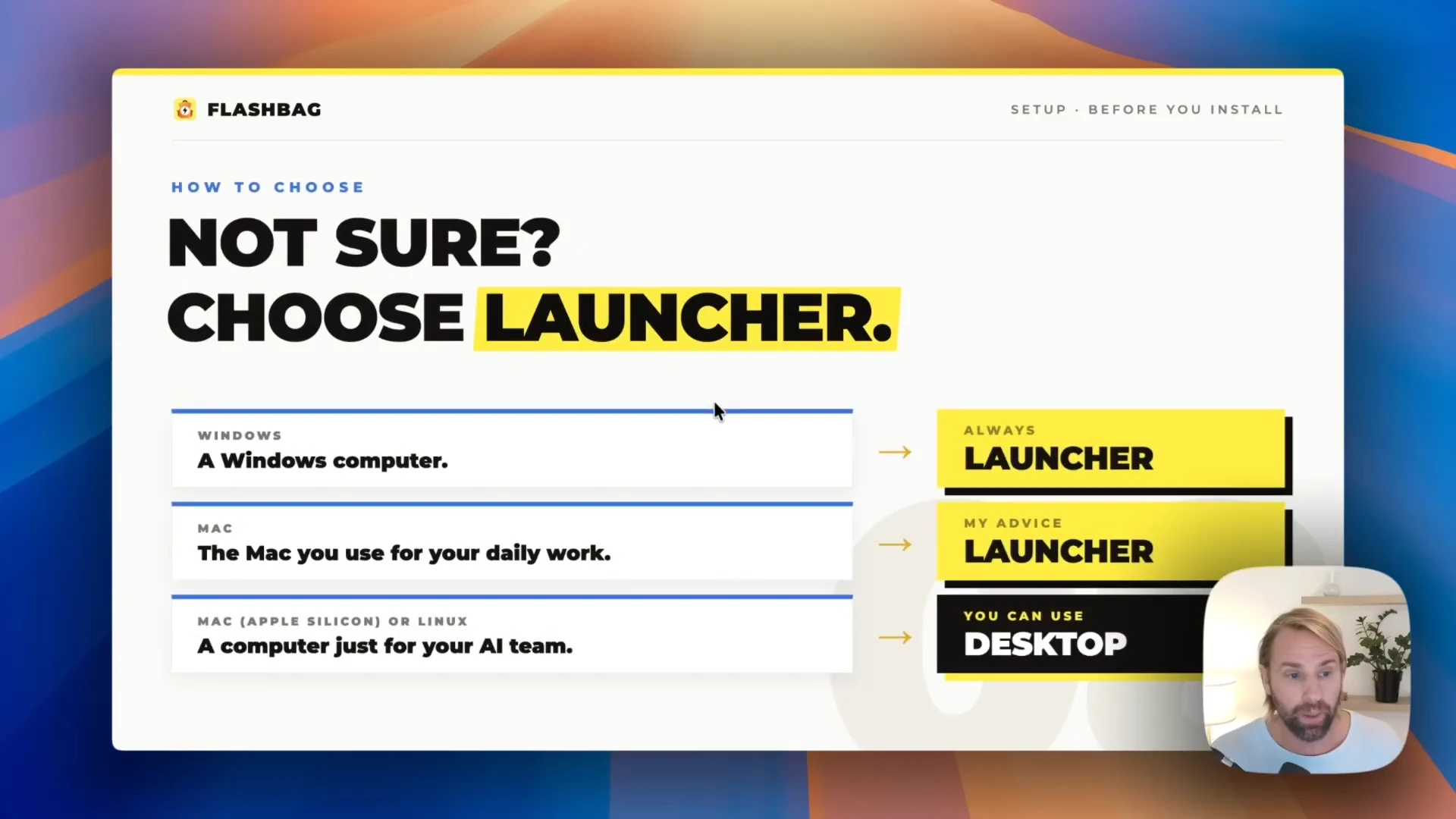
How to choose
Not sure? Choose Launcher. It is the version most people use, and you can switch later.
Common questions
Can I switch between Launcher and Desktop later?
Yes. Both use the same Flashbag folder on your computer. Finish any work your agents are running, stop the version you are using, and start the other one; you continue where you left off.
I have a Mac with an Intel chip.
Use Flashbag Launcher. Desktop needs an Apple silicon Mac or Linux; Launcher runs on Intel and Apple silicon Macs, Windows and Linux.
Can my agents use files from my Mac inside Launcher?
Yes, when you bring them in. Transfer the files into the workspace and your agents can work with them there. What agents cannot do is reach out to files and programs that stay outside the workspace.
Is Launcher less capable than Desktop?
For most work, no. Launcher comes with more tools preinstalled than a fresh Desktop install. The one thing it cannot do is control the programs installed on your computer, such as your own video editor.
Still have a question?
Contact us. We’ll help you get there. ↗